Documentation
Introduction
DevNexus is a cross-platform desktop application designed to simplify local PHP and Laravel development. It manages all the services you need — PHP, MySQL, Caddy, Redis, Mailpit, and more — through a single, intuitive interface.
Built with Tauri v2 for a native experience, DevNexus combines the power of a Rust backend with a modern React frontend.
DevNexus is a free, open-source alternative to XAMPP and Laragon. Unlike XAMPP, DevNexus isolates PHP per project, supports PHP 8.0–8.4 side by side, and ships with a built-in MCP server so AI coding assistants can manage your environment directly.
DevNexus vs. XAMPP vs. Laragon
| Feature | DevNexus | XAMPP | Laragon |
|---|---|---|---|
| Multiple PHP versions side by side | ✅ | ❌ | ✅ |
| Per-site PHP isolation | ✅ | ❌ | ❌ |
| Cross-platform (Linux/macOS/Windows) | ✅ | ✅ | Windows only |
| Built-in AI / MCP server | ✅ | ❌ | ❌ |
| Automatic HTTPS (*.test domains) | ✅ | Manual | ✅ |
| Open source (MIT) | ✅ | ✅ | ❌ |
Installation
Installing DevNexus takes less than five minutes and requires no prior configuration:
- Download the latest release for your operating system from the GitHub Releases page.
- Run the installer (DMG for macOS, MSI for Windows, DEB/AppImage/RPM for Linux).
- Launch DevNexus from your applications menu.
- The app will automatically detect your ~/www directory and suggest downloading required services.
Note: DevNexus is compatible with Linux (x86_64, aarch64), macOS (Intel, Apple Silicon), and Windows (x86_64).

System Requirements
| Platform | Requirements |
|---|---|
| Linux (x86_64 / aarch64) | glibc 2.28+, GTK 3, WebKit2GTK 4.1, pkexec (PolicyKit) |
| macOS (Intel / Apple Silicon) | macOS 10.15+, Xcode CLI tools |
| Windows (x86_64) | Windows 10+, WebView2 |
Available Packages
| OS | Architecture | Package |
|---|---|---|
| Linux | x86_64 | .deb, .rpm, .AppImage, .pkg.tar.zst |
| Linux | aarch64 | .deb, .AppImage |
| macOS | Intel (x86_64) | .dmg |
| macOS | Apple Silicon (aarch64) | .dmg |
| Windows | x86_64 | .msi, .exe (NSIS) |
Getting Started
When you first launch DevNexus, you will see the Dashboard. From here, you can:
- Download and install PHP, MySQL, Caddy, and other services from the Binaries page
- Start/stop services from the Services page
- Discover and manage your projects from the Sites page
- Configure extensions and settings from the Config page

Downloading Tools
Before using services, you need to download the required binaries from the Binaries page:

| Tool | Purpose | Required |
|---|---|---|
| PHP | PHP runtime (choose a version) | Yes |
| MySQL | Database server | Optional |
| Caddy | Web server with auto-TLS | Yes |
| Redis | Cache / queue backend | Optional |
| Mailpit | Local email testing | Optional |
| PostgreSQL | Alternative database | Optional |
Starting Services
Once binaries are downloaded, go to the Services page. Click Start All or toggle individual services — DevNexus starts each service on its default port, resolves port conflicts automatically, and updates the Dashboard in real time.

Creating Your First Project
Go to Sites → Create Site, enter a project name, and select a type (e.g. Laravel). DevNexus scaffolds the project, configures its environment, and serves it at https://<name>.test with automatic TLS.

Verifying Everything Works
Open the Dashboard to verify your environment is ready:
- Services are running
- Sites are discovered and active
- PHP version is configured
- Domains resolve (.test entries in /etc/hosts)

Sites & Projects
DevNexus automatically discovers, configures, and manages your local web projects. Each project gets a .test domain, an automatic TLS certificate, an /etc/hosts entry, a Caddy vhost, and a per-site PHP version.

Project Discovery
DevNexus auto-detects project types by scanning for signature files:

| Project Type | Detection Signal |
|---|---|
| Laravel | artisan file present |
| WordPress | wp-settings.php present |
| CakePHP | bin/cake present |
| Slim | slim in composer.json |
| Generic PHP | composer.json or index.php |
| Static | HTML files, no PHP framework |
| Node.js | package.json with framework detection |
Creating a New Project
Go to Sites → Create Site, enter a project name, and select a type. DevNexus scaffolds the project, configures the .env file with database credentials and APP_URL, creates a Caddy vhost entry, adds the .test domain to /etc/hosts, and generates an SSL certificate.
From the CLI:
devnexus create-site --name my-app --type laravel
Linking Existing Projects
To link projects that live outside ~/www, go to Sites → Link Project, browse to the project folder, and DevNexus auto-detects the type and configures it. The project becomes available at https://<folder-name>.test.

Per-Site Configuration
Each project can have a .devnexus.json file in its root to override defaults:
{
  "type": "laravel",
  "domain": "custom-domain.test",
  "php_version": "8.3",
  "document_root": "public",
  "node_port": 3000
}| Field | Description |
|---|---|
type | Override auto-detected project type |
domain | Custom .test domain (default: folder name) |
php_version | PHP version for this site (overrides global) |
document_root | Subdirectory for web root (default: project root) |
node_port | Fixed dev server port for Node.js projects |
Run Artisan / Composer
Execute Laravel Artisan or Composer commands from the GUI or MCP — for example php artisan migrate, php artisan queue:work, or composer require spatie/laravel-permission.

PHP Version Management
DevNexus supports PHP versions 8.0 through 8.4. Binaries are downloaded from static-php.dev, pre-compiled for your platform.
You can enable/disable extensions with a single click, and the app automatically generates optimized php.ini files.


# Example: Switch PHP version
# DevNexus handles this through the UI
# Binary locations are added to PATH automatically
MySQL Database Management
DevNexus downloads official MySQL Community Server binaries and initializes the data directory automatically.
For database administration, DevNexus integrates phpMyAdmin and Adminer, both served locally through Caddy at phpmyadmin.test and adminer.test.

PostgreSQL
PostgreSQL is available as an optional alternative database, managed as a binary tool and downloadable from the Binaries page.
Default port: 5432 · Config file: dev-stack/config/postgresql.conf

Per-Site PHP Isolation
DevNexus creates a separate PHP-FPM pool for each site, ensuring complete isolation. Each project uses its own PHP version, extensions, and configuration without conflicts.
On Unix systems, each site gets its own FPM pool with a dedicated Unix socket. On Windows, DevNexus uses separate PHP built-in servers per site.
The PHP version for each site is detected from: 1) .devnexus.json config, 2) .php-version file, 3) composer.json requirements, or 4) the global default.
{
  "phpVersion": "8.2",
  "xdebug": true
}
Xdebug On-Demand
DevNexus supports Xdebug with a "trigger on demand" approach. When enabled for a site, Xdebug loads but stays in xdebug.mode=off until you send a debug trigger cookie or header.
This means zero performance overhead during normal development, but full debugging is available whenever you need it. Xdebug listens on port 9003 by default.
To enable: set "xdebug": true in your site's .devnexus.json configuration. DevNexus auto-locates the Xdebug extension binary for your PHP version.
Caddy Web Server
Caddy is configured automatically with PHP-FPM FastCGI support. Each project gets its own *.test domain with automatic TLS certificates.
The configuration reloads automatically when files change in your projects directory.

Redis Cache
DevNexus provides one-click Redis server management for caching and session storage. Simply click start on the Redis service card and it runs on the default port 6379.
No configuration needed — Redis starts with optimized defaults for local development.
Redis is commonly used in Laravel projects for three things: application cache, session storage, and queue driver for background jobs. Point your .env at the local instance and it works exactly like production Redis.
REDIS_HOST=127.0.0.1
REDIS_PORT=6379
CACHE_DRIVER=redis
SESSION_DRIVER=redis
QUEUE_CONNECTION=redis
Mailpit — Email Testing
Mailpit is an SMTP testing tool integrated into DevNexus. It captures all outgoing emails from your applications and provides a web UI to view them.
SMTP Server: localhost:1025 — Web UI: http://localhost:8025
No more emails accidentally sent to real addresses during development. Mailpit catches them all.
For Laravel, point your mail configuration at Mailpit and every notification, password reset, and queued email is caught locally and viewable in the browser instead of leaving your machine.
MAIL_MAILER=smtp
MAIL_HOST=127.0.0.1
MAIL_PORT=1025
MAIL_ENCRYPTION=null
AI / MCP Server
DevNexus includes a built-in MCP (Model Context Protocol) server that exposes 17 tools for AI assistants to control your development environment. The server runs locally on 127.0.6.0:8938 with Bearer token authentication.

Supported AI Clients (auto-setup): Claude Code, Claude Desktop, Cursor, Windsurf, Zed, OpenCode, VS Code, and JetBrains/Junie.
Enable the MCP server from Settings. DevNexus can auto-configure all supported AI clients with a single click via the "Setup AI Clients" button.

Available MCP Tools
list_services,get_service_status,start_service,stop_service,restart_service,service_logslist_sites,open_project_folder,open_in_browser,get_site_configrun_artisan,run_composergit_statuslist_databases,create_database,export_database,backup_databasecreate_full_backup,create_projects_backup,list_backupsget_dashboard_stats,get_php_version,list_php_extensions
DevNexus also installs a "DevNexus Skill" file for Claude Code with example commands and workflows.


Job Scheduler
DevNexus includes a built-in cron/job manager that runs scheduled tasks in the background. Schedule any command — artisan tasks, backup scripts, maintenance routines — with minute-to-monthly intervals.
Each job runs in the background with full logging. You can view run history, clear logs, and trigger any job immediately with the "Run Now" button.
Supported Intervals
- Minute — runs every minute
- Hourly — runs once per hour
- Daily — runs once per day (configurable time)
- Weekly — runs once per week
- Monthly — runs once per month
Node.js Dev Servers
DevNexus auto-detects Node.js projects (Next.js, Vue, Vite, Express) and manages their development servers. Each site gets a dedicated dev server with a Caddy reverse proxy on a *.test domain.
Package Manager Detection: DevNexus detects npm, yarn, pnpm, or bun from lockfiles and uses the correct command automatically.
NVM Integration: Per-project .nvmrc support — DevNexus reads your Node version file and uses the correct version via NVM.
Dev ports are automatically assigned (11000–11999) or configurable per site. The reverse proxy is managed by Caddy with automatic HTTPS.

Queue Workers
DevNexus manages Laravel queue workers per site. Start, stop, and monitor php artisan queue:work processes for each project independently.
Each worker is tracked by PID with full lifecycle management. View running workers and their status from the queue workers panel.
Self-Healing Diagnostics
DevNexus automatically detects common service issues and provides one-click fixes:
- Stale PIDs — detects and cleans processes that are no longer running
- Port Conflicts — identifies ports in use by other processes
- Corrupt Configs — regenerates broken Caddyfiles and PHP-FPM configs
- Stopped Services — restarts services that should be running
Run a full diagnostic scan from Settings → Health to see all issues. Fix individual issues or click "Fix All" to resolve everything at once.
System Integration
DevNexus integrates deeply with your operating system to provide a seamless development experience.
- PATH Injection — All binary directories are automatically added to your PATH.
- /etc/hosts Management — Each project gets a *.test domain with automatic privilege escalation.
- SSL Trust — Caddy Root CA is injected into your system certificate store for trusted local HTTPS.
- File Watcher — Automatically reloads Caddy configuration when files change.
Configuration Files
DevNexus uses XDG-compliant paths so all managed files live in a predictable, platform-specific data directory.
Data Directory
| Platform | Path |
|---|---|
| Linux | ~/.local/share/dev-stack/ |
| macOS | ~/Library/Application Support/dev-stack/ |
| Windows | %APPDATA%/dev-stack/ |
Directory Layout
dev-stack/
├── bin/                     # Tool binaries (php, mysql, caddy, redis, ...)
├── config/                  # Caddyfile, my.cnf, php/, redis.conf, ...
├── data/                    # Runtime data (mysql/, redis/)
├── logs/                    # Service logs
├── tmp/                     # PID files
├── downloads/               # Download cache
├── backups/                 # Backup archives
├── app_config.json          # Main application config
└── mcp_config.json          # MCP server settings
app_config.json
Main application configuration:
{
  "php_version": "8.3.4",
  "auto_start_services": true,
  "default_site_type": "laravel",
  "theme": "dark"
}
mcp_config.json
MCP server settings:
{
  "enabled": false,
  "port": 8938,
  "token": "devnexus-xxxxxxxxxxxx"
}
CLI Reference
DevNexus ships with a standalone command-line interface (devnexus-cli) for managing your development environment without the GUI. It shares the same business logic as the app — no duplication.
The CLI is bundled with DevNexus: on Linux/macOS it is available on PATH as devnexus; on Windows as devnexus.exe in the installation directory.

Common Commands
| Command | Description |
|---|---|
devnexus status | Show the status of all managed services |
devnexus start <service> | Start a background service (caddy, mysql, postgres, redis, mailpit, phpfpm) |
devnexus stop <service> | Stop a running service |
devnexus restart <service> | Stop then start a service |
devnexus start-all | Start all managed services sequentially |
devnexus stop-all | Stop all managed services |
devnexus list-sites | List all discovered project sites |
devnexus create-site | Create a new project (--name, --type) |
devnexus backup <full|projects|config|list> | Create a full, projects-only, or config-only backup; list backups |
Examples
# Start everything and verify
devnexus start-all && devnexus status

# Daily backup cron job
0 2 * * * /usr/local/bin/devnexus backup full
Backup & Restore
DevNexus provides built-in backup and restore capabilities for your entire development environment.

| Backup Type | Contents | Use Case |
|---|---|---|
| Full | Projects + Config | Complete environment backup |
| Projects | Project files only | Source code backup |
| Config | Configuration files only | Settings backup |
Creating Backups
From the GUI: open the Backup page, choose the type (Full, Projects, or Config), and click Create Backup. From the CLI:
devnexus backup full
devnexus backup projects
devnexus backup config
devnexus backup list
Scheduled Backups
Automate backups daily, weekly, or monthly from Backup → Schedule, or through the built-in job scheduler.

Restore
Select a backup from the list and click Restore. During restore, the current configuration is backed up as a safety net, the selected archive is extracted, services restart with the new config, and the hosts file is re-synchronized.

Best Practices
- Schedule daily backups for active projects
- Create a full backup before upgrading PHP or MySQL versions
- Keep important backups on external storage
- Periodically verify backups can be restored
Theme System
DevNexus ships with five built-in themes and a complete JSON theme format: colors, typography, effects and layout are all driven by design tokens.
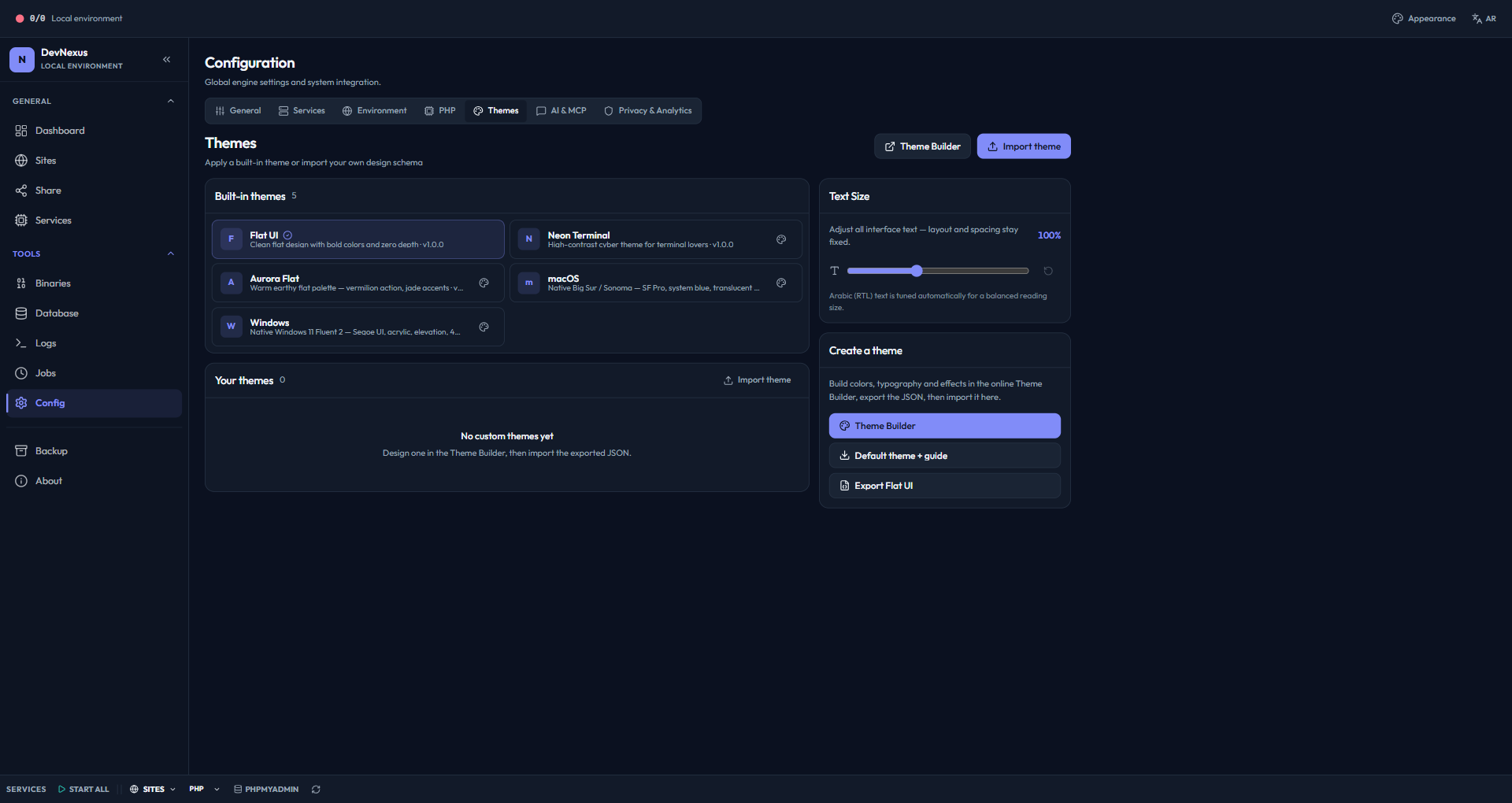
- Flat UI — Clean, zero-depth default theme
- Aurora Flat — Warm earthy palette with vermilion and jade accents
- Neon Terminal — Dark, high-contrast cyberpunk theme
- macOS — SF Pro typography, translucent chrome, layered shadows
- Windows — Fluent 2 with acrylic surfaces and a 4px radius
Visual Theme Builder
Design a theme in your browser with a live preview, then download the JSON and import it into DevNexus.
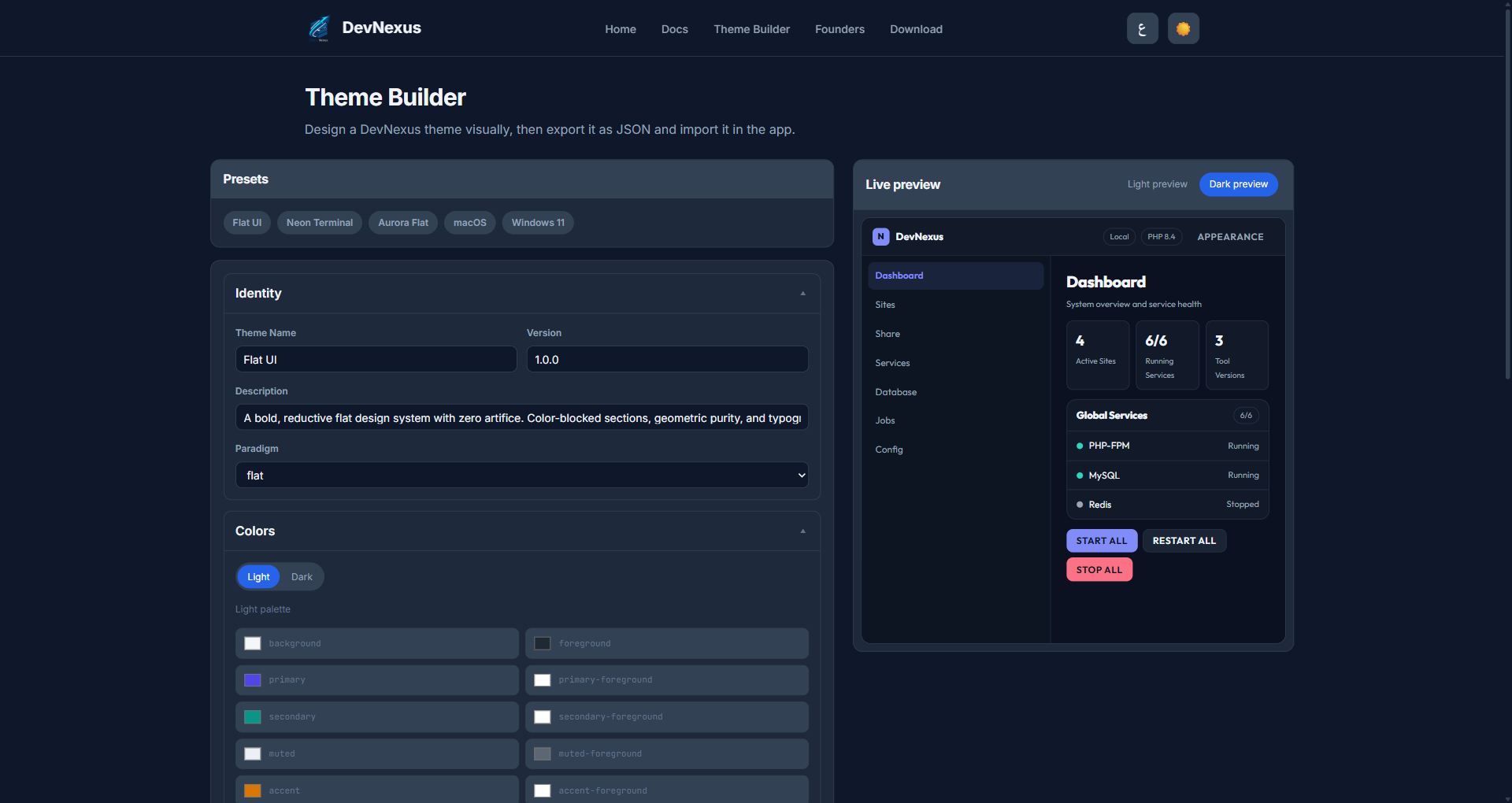
What you can customize
- Colors — Full light and dark palettes plus semantic status tokens
- Typography — Font family, heading and label styles, and a 9-step size scale
- Effects — Radius, border width, shadow presets, glass blur and hover motion
- Layout — Sidebar position (left/top/hidden), header, content width and padding
- Import / Export — Themes are plain JSON files, validated on import
Themes in action
The same interface under two native-inspired themes — every surface, radius and shadow comes from the theme JSON.
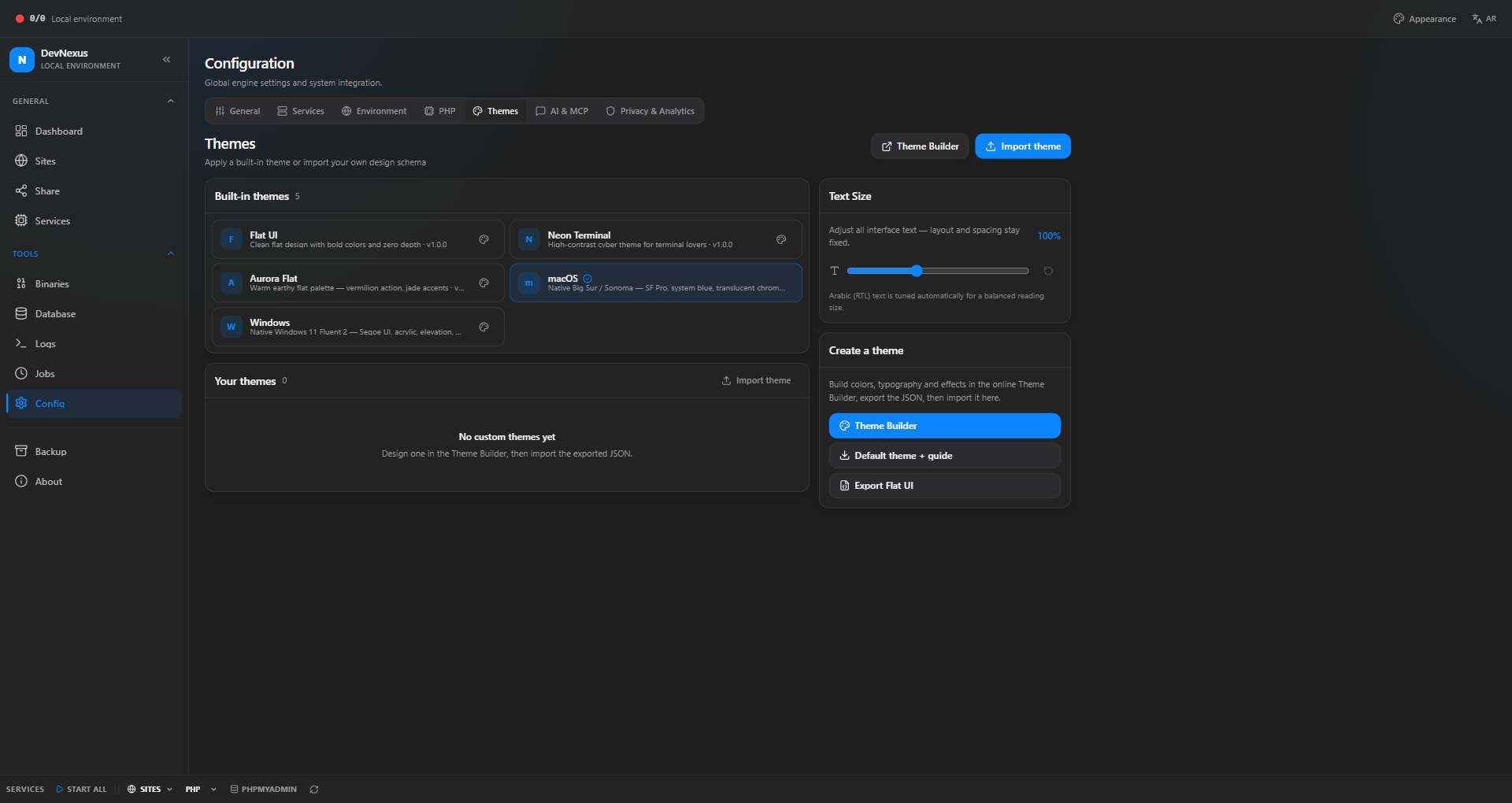
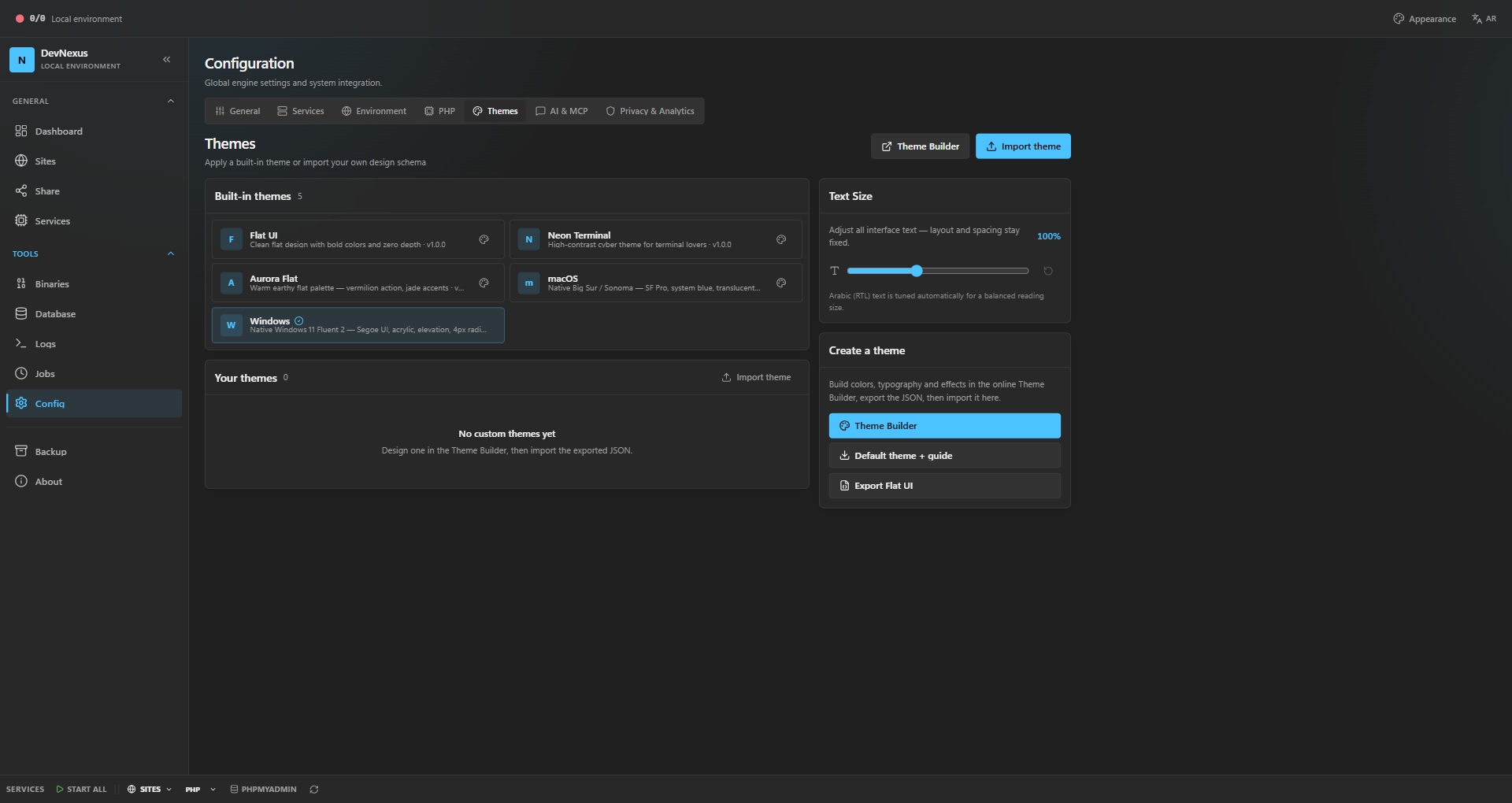
Toggle dark and light mode, adjust the global text size, or create your own theme and share it with the community.
Frequently Asked Questions
Is DevNexus free?
Yes, DevNexus is completely free and open source under the MIT license.
Which operating systems are supported?
DevNexus supports Linux (deb, AppImage, RPM), macOS (Intel & Apple Silicon), and Windows (MSI).
Do I need to install PHP separately?
No. DevNexus downloads and manages PHP binaries for you. You can install multiple versions and switch between them.
Can I use DevNexus with existing projects?
Absolutely. DevNexus auto-discovers projects in your ~/www directory and supports Laravel, CakePHP, WordPress, Slim, and more.
Is DevNexus a good alternative to XAMPP or Laragon?
Yes. DevNexus offers everything XAMPP and Laragon provide — plus per-site PHP isolation, multiple simultaneous PHP versions, automatic HTTPS, and a built-in AI/MCP server — while remaining fully open source and cross-platform.
Can I run multiple PHP versions at the same time?
Yes. Each site gets its own PHP-FPM pool, so one project can run PHP 8.1 while another runs PHP 8.4, simultaneously, with zero conflicts.
Does DevNexus work with AI coding assistants like Claude Code?
Yes. DevNexus includes a built-in MCP server with 17 tools and auto-setup for Claude Code, Claude Desktop, Cursor, Windsurf, Zed, VS Code, and JetBrains IDEs.
Does DevNexus support Node.js projects alongside PHP?
Yes. DevNexus auto-detects Next.js, Vue, and Vite projects, manages their dev servers, and reverse-proxies them through Caddy on *.test domains with hot reload.